
• Welcome to United Aion
  • Welcome to United Aion
Welcome to United Aion 4.8

United Aion is a retail-like Aion 4.8 server focused on PvPvE, fair progression and long-term stability. Our goal is to keep the official feeling of 4.8 while polishing balance and quality of life.

Start your adventure, gear up through PvE and PvP, and enjoy classic Aion endgame content with modern improvements.
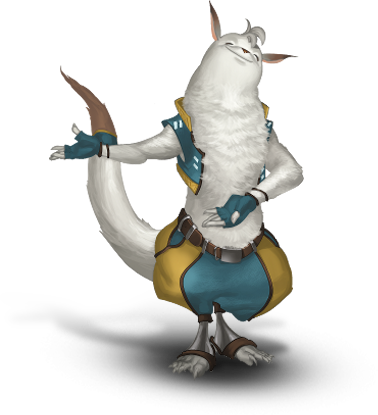
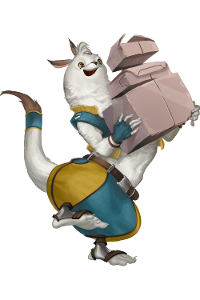
Shugo
Latest News
[2025-12-19] Grand Opening – United Aion 4.8

United Aion 4.8 officially launches on Friday, December 19, 2025 at 6:00 PM. Enter Atreia and experience a retail-like PvPvE server with balanced progression and a fair competitive environment built for long-term play.

The server follows a no pay-to-win power philosophy, with a focus on cosmetic and quality-of-life features while keeping all combat progression earned through gameplay.

More information about rates, features, and server details is available in our Server Overview .

[2026-2-28] UnitedAion 4.8 Patch Notes

Important balance changes and fixes as well as new features can be found here.

Read Full Patch Notes →

Click a news title to expand details.

Download Client
Shugo delivering parcels

Download the United Aion 4.8 client using one of the methods below. You can either download the full client directly or use the launcher to download everything automatically.

Full Client Download

ℹ️ Important:
The Full Client already includes the UnitedAion Launcher.
You do NOT need to download the launcher separately.

How to install
  • Download UnitedAionInstaller.zip
  • Extract the archive
  • Run UnitedAionInstaller.exe
  • Default installation path: C:\Program Files\UnitedAion
  • After installation, the installer will start UnitedAionLauncher.exe and create a desktop shortcut
⚠️ Browser Notice:
Some browsers may block or warn about large downloads. If this happens, we recommend using Microsoft Edge and selecting Keep.

Launcher Only (Downloads Full Client Automatically)

How to install
  • Download UnitedAionLauncher.zip
  • Extract it to a folder such as: C:\Games\UnitedAion or D:\Games\UnitedAion
  • Do NOT extract inside Program Files, Desktop, or Downloads
    (Windows may block updates or prevent the launcher from working correctly)
  • Run UnitedAionLauncher.exe
  • The launcher will automatically download and keep the full client up to date
⚠️ Antivirus Notice:
Some antivirus programs may show warnings when downloading or launching the launcher. This is a false positive caused by the launcher not being digitally signed.

If your antivirus blocks the launcher, you may need to add the UnitedAion folder to the antivirus exception list.

The launcher is safe and clean and used by all United Aion players. If prompted, please choose Keep, Allow, or add it as an exception.
Rankings

Check out the latest competitive ladders and event rankings.

Server Info
Support
Follow Us

Stay connected with our community.